
Measurements and photos
Measure what the scale misses.
Your waist can shrink while the scale stands still. Log your measurements, take progress photos the same way every time, and see the change side by side. All of it free.
Measurements
A ruler for every spot.
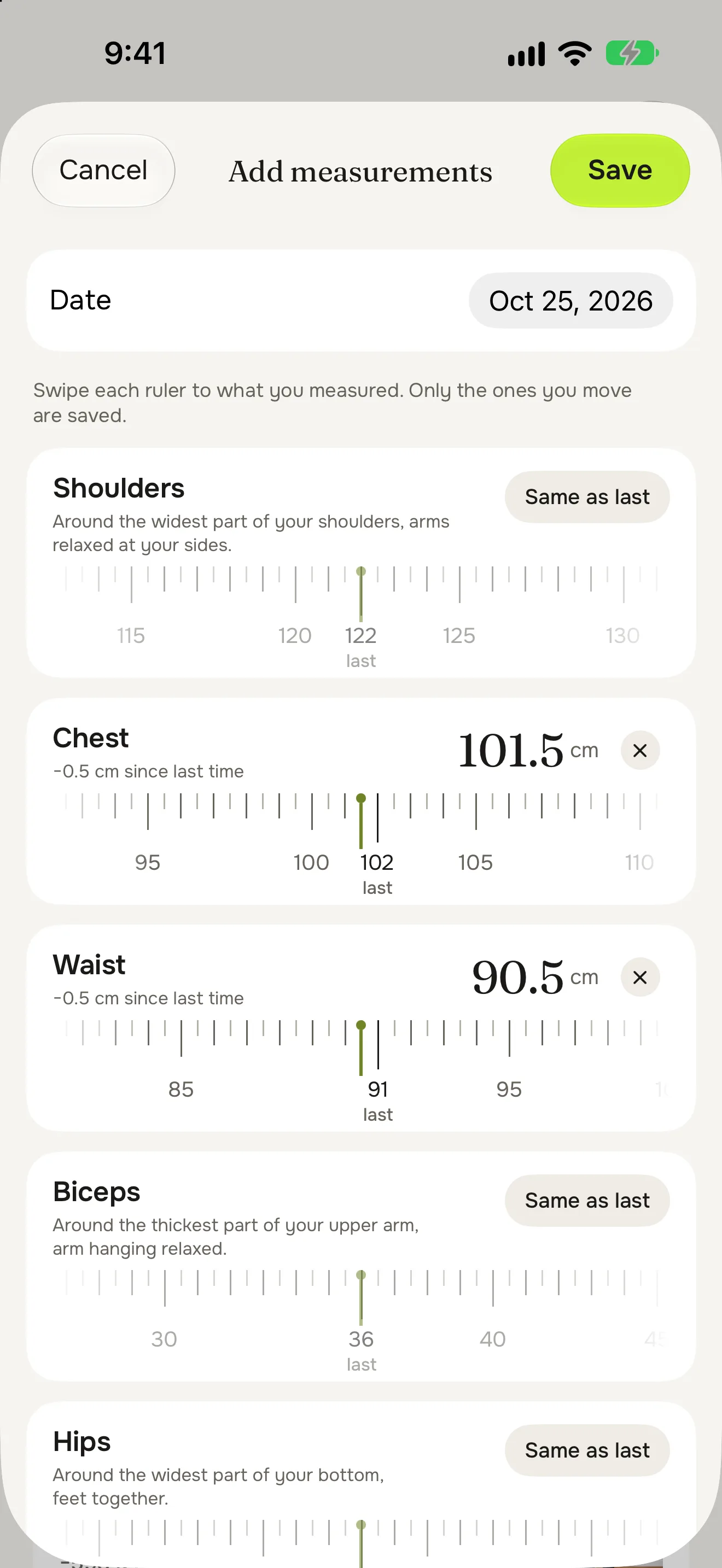
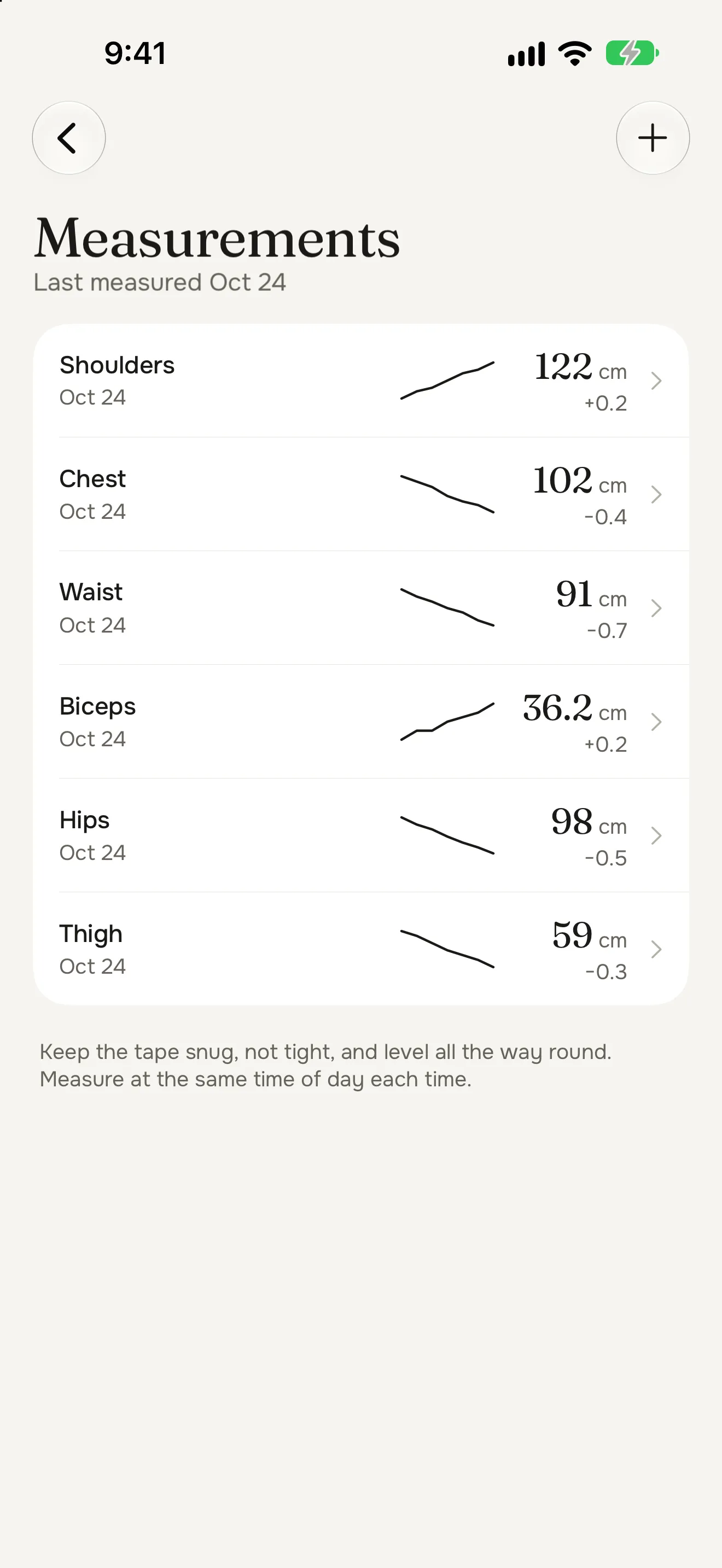
Measure your shoulders, chest, waist, biceps, hips and thigh, and set each one by sliding its ruler. Last time’s reading sits on the ruler, so you see the change as you go.
- “Same as last” for anything that hasn't changed
- Where to put the tape, for every spot
- Each spot with its own chart and its change over 1, 3 and 6 months
- A reminder once a month, if you want one
Progress photos
Photos you can compare.
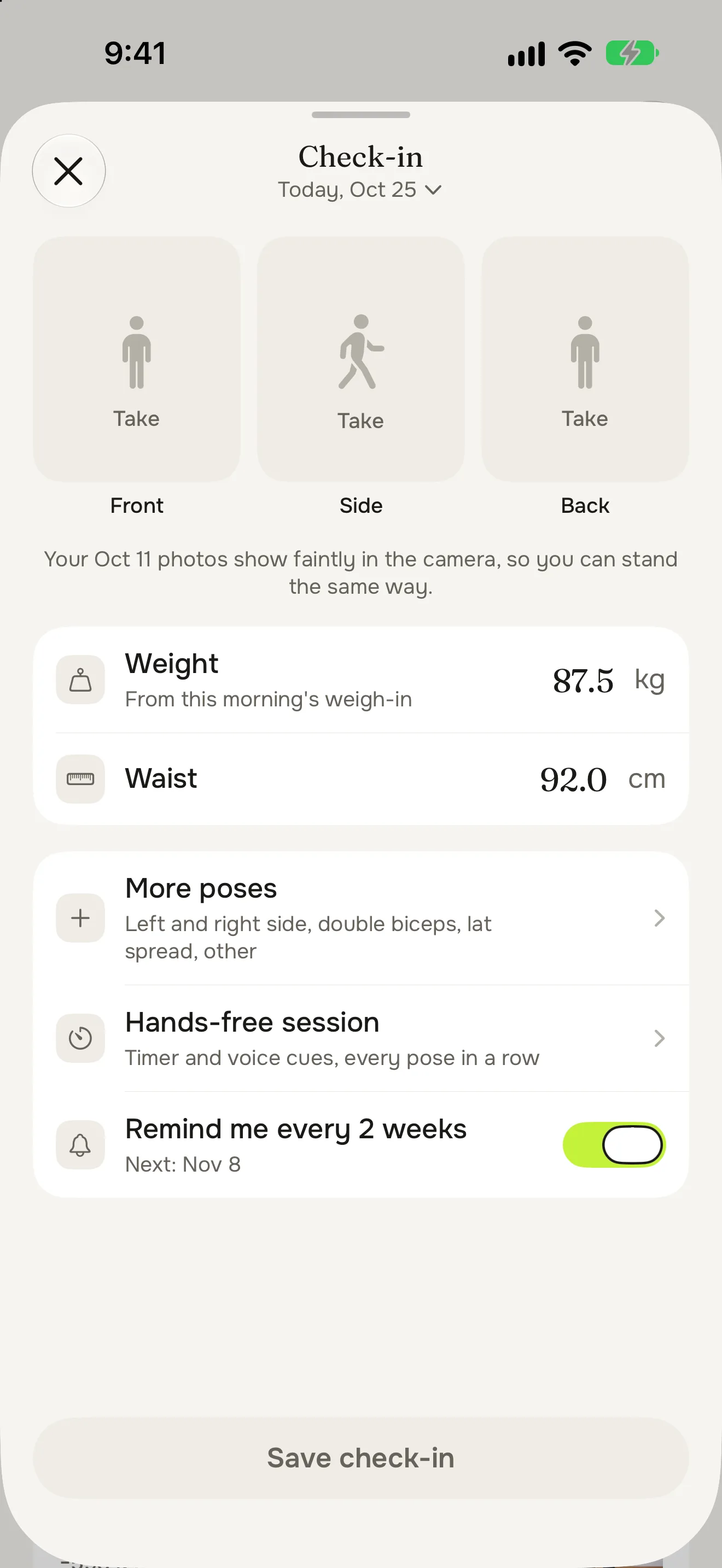
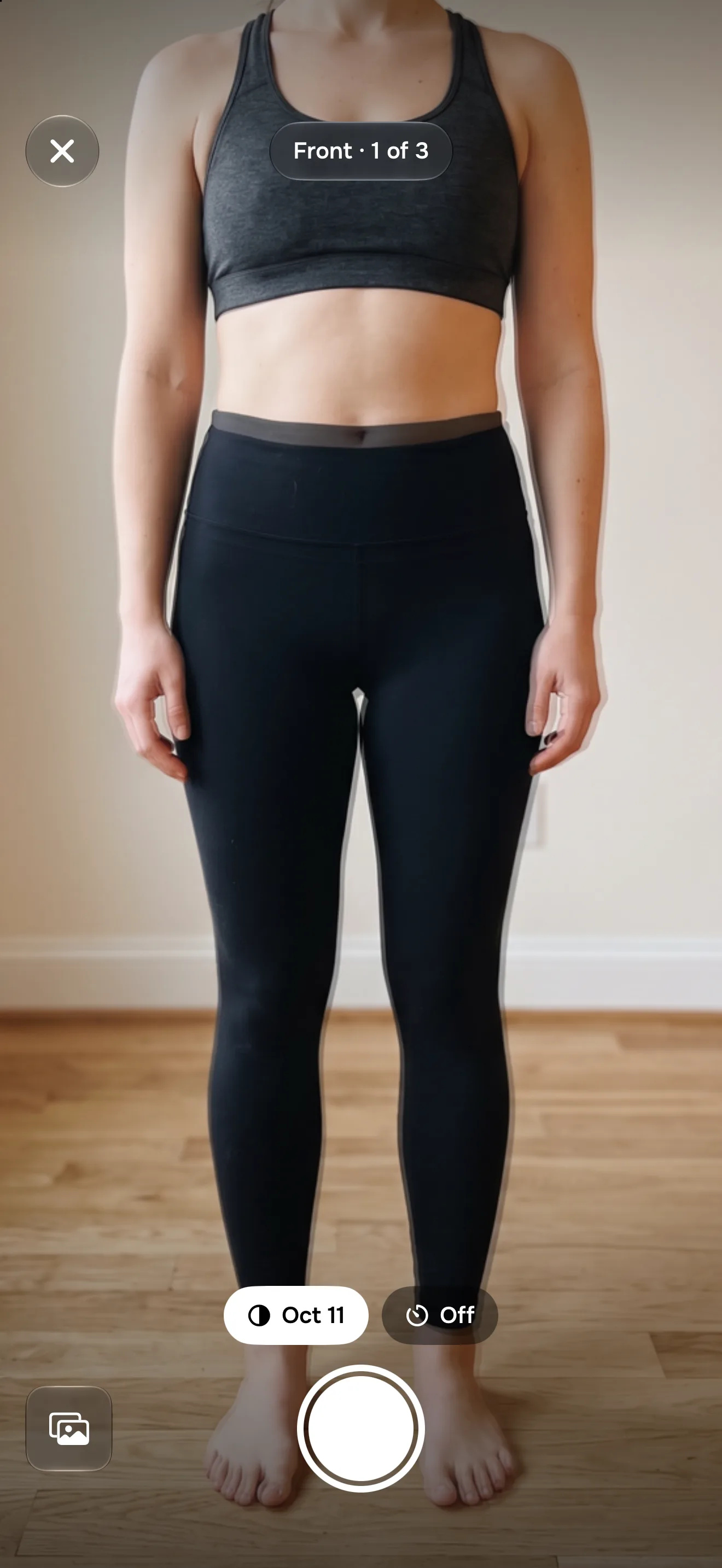
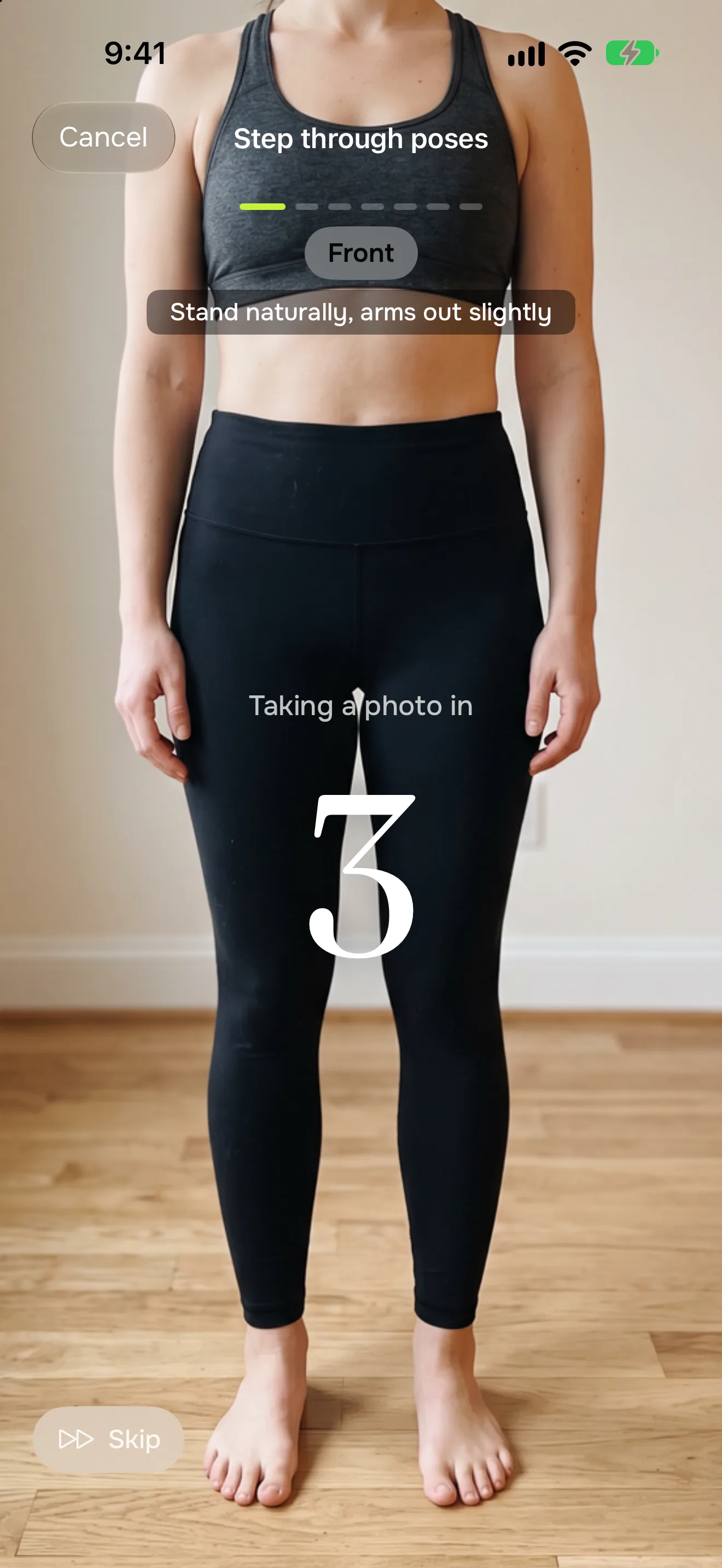
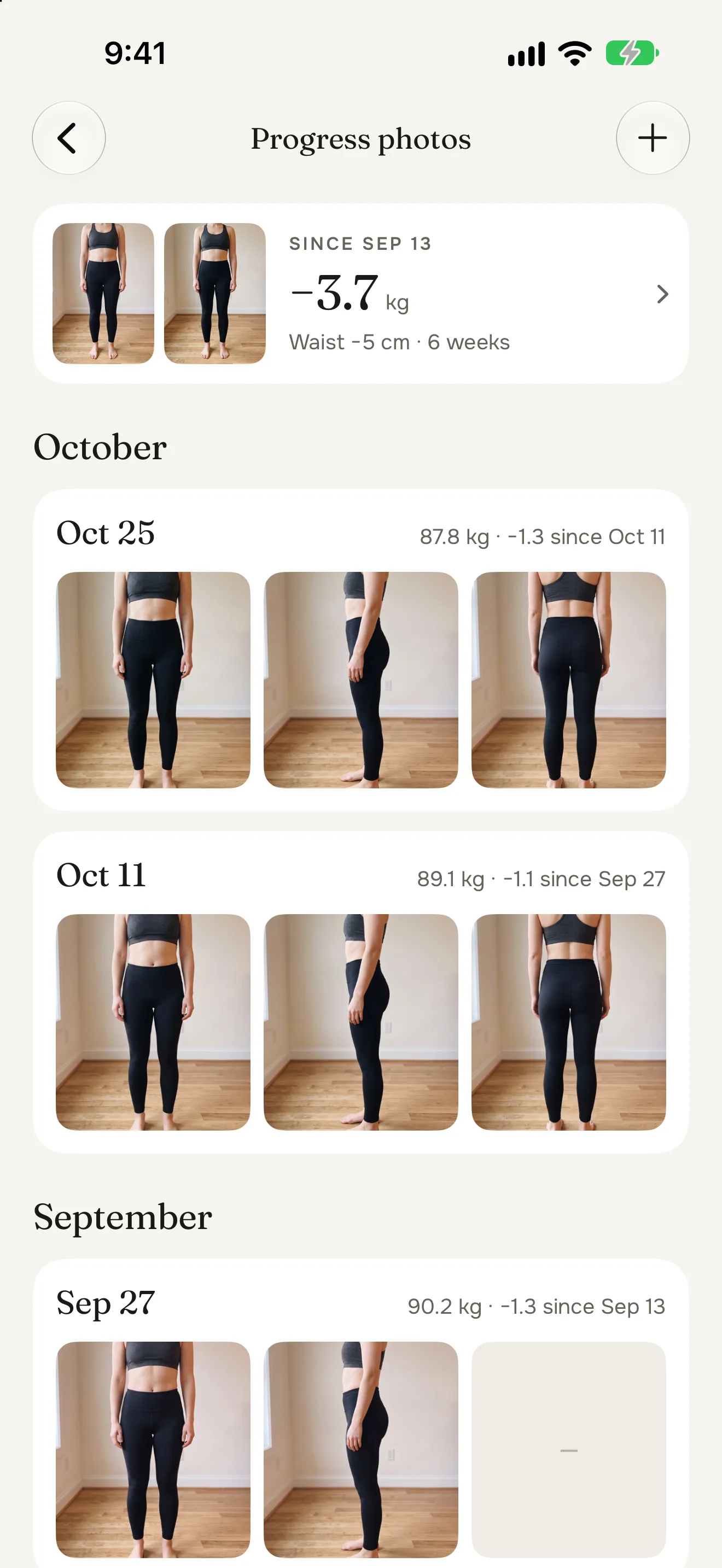
A check-in is your front, side and back on the same day, with that morning’s weight and your waist saved beside them. The camera shows your last photo faintly, so you stand the same way every time.
- Hints until you're in the frame, then a 3 or 10 second timer
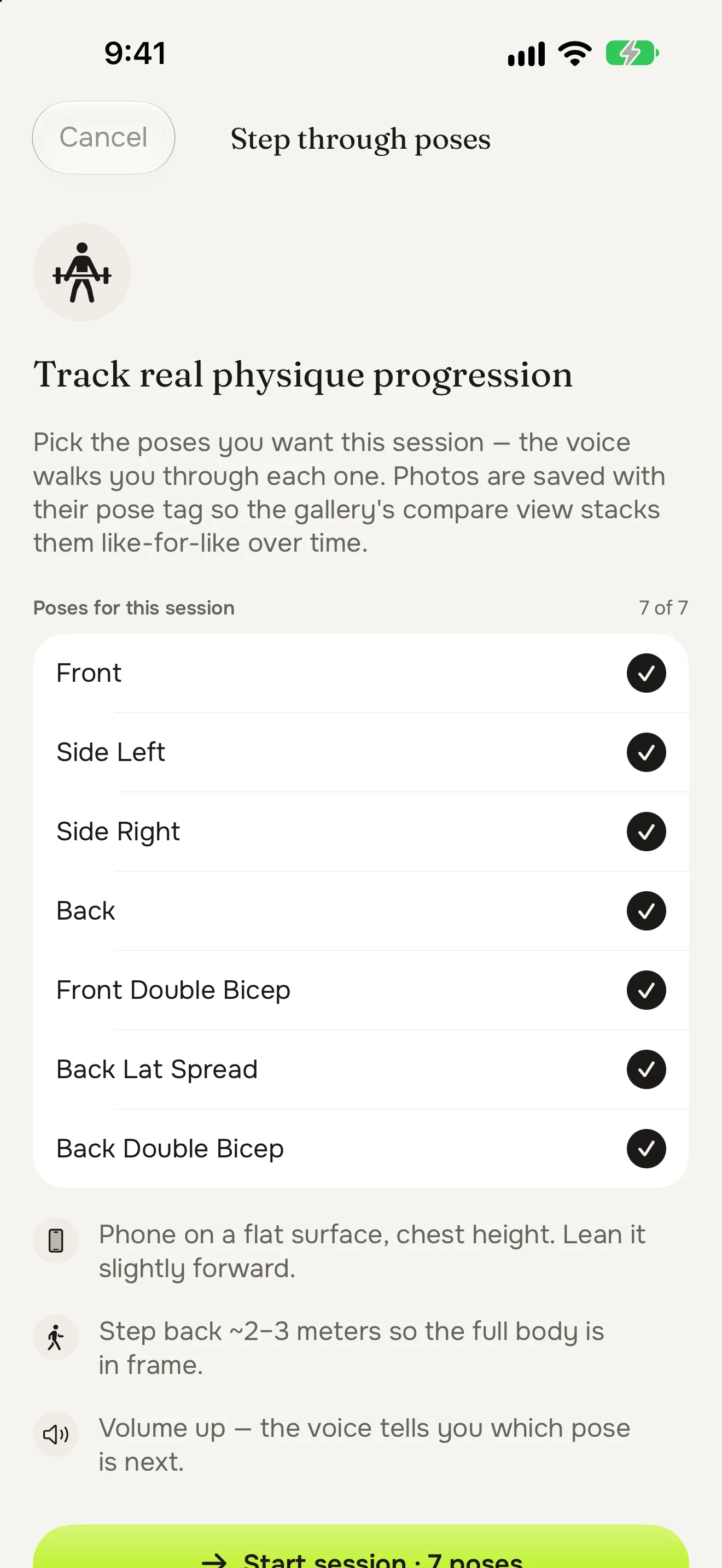
- More poses when you want them, like double biceps
- A reminder every 1, 2 or 4 weeks
Hands-free
Prop up your phone and step back.
The hands-free session talks you through every pose you picked and counts down 3, 2, 1 before each photo. No running back to tap the shutter.
See the change
Then and now, side by side.
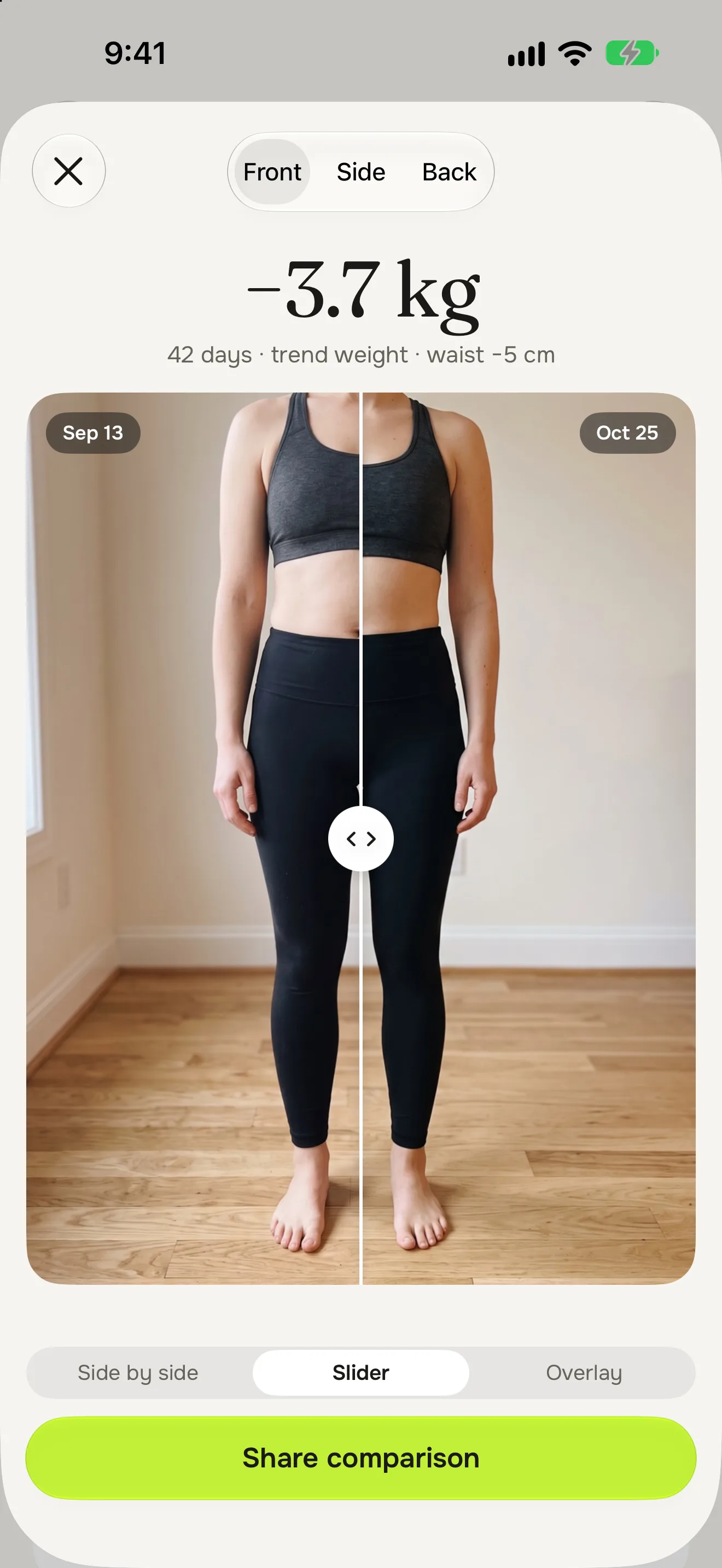
Put your first check-in next to your latest, or slide between them, with the weight change on top. Every photo keeps the weight and waist from its day.
- Every check-in by month, with its weight
- Photo days marked on your weight chart
- Share one image, with your face cropped out unless you choose otherwise
Body composition
Fat and muscle, not just weight.
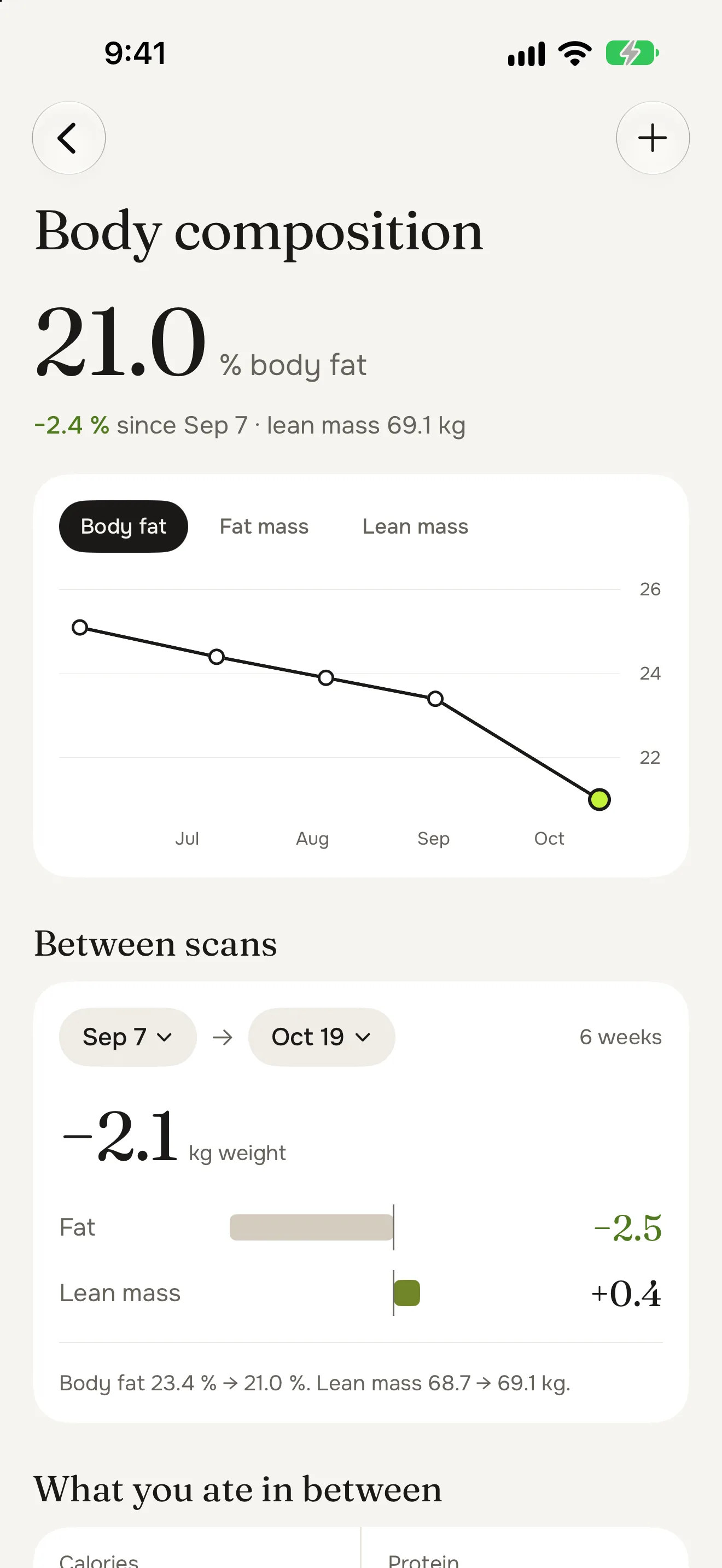
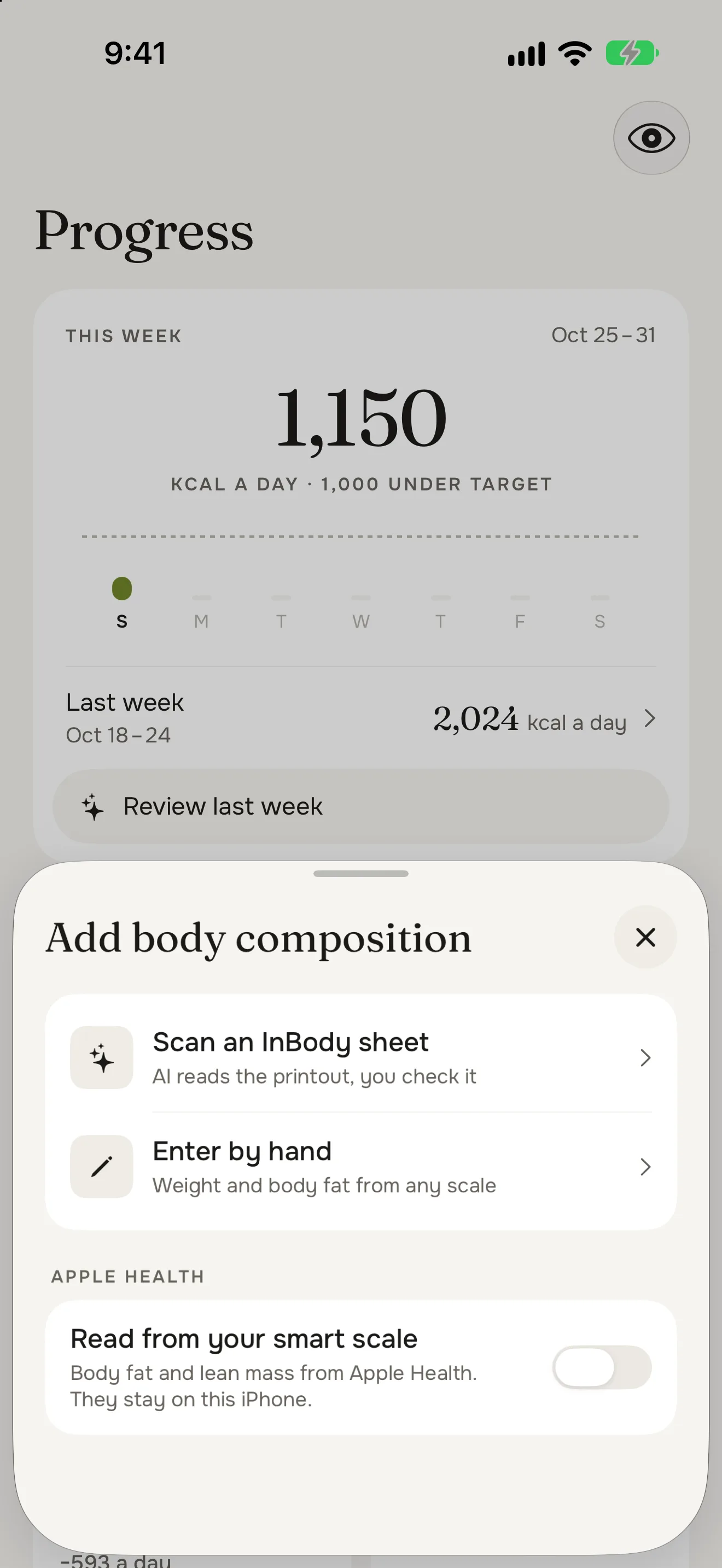
Track body fat and lean mass from your smart scale, from an InBody printout or by hand. Pick any two scans and see what changed between them, and what you ate in between.
- Readings from a smart scale come in through Apple Health
- Numbers from any scale, typed in by hand
- Body fat and lean mass on one chart over time
Müsli ProPhotograph an InBody sheet and the AI reads it. You check every value before it’s saved.
Private by design
Your body, your data.
Body fat and lean mass from a smart scale stay on your iPhone, like your Apple Health weigh-ins. The one exception to all of this is an InBody sheet you choose to scan with Müsli Pro: that photo goes to our AI provider, Anthropic, to be read.
Read the privacy policyOn your iPhone and your iCloud
Your measurements and photos live on your iPhone and in your private iCloud.
No account
Nothing to sign up for, no email. No ads, and nothing is ever sold.
Photos stay out of AI
Progress photos are never sent to us or to an AI.
Privacy mode
One tap blurs your photos, and they open only with Face ID or your passcode.

Food you love, goals you hit.
Free to download, no account needed. For iPhone with iOS 26 or later.